IN101 Game – Play, Win & Enjoy Bonuses

Welcome to IN101 Game
IN101 Game brings exciting games, smooth gameplay, and an engaging gaming experience together in one place. Explore a variety of games, discover new challenges, and enjoy a simple and user-friendly gaming platform. Start your gaming journey with IN101 and enjoy an exciting world of entertainment and gameplay.
What Is IN101 Game?
IN101 Game is an online gaming platform where users can find and play different games. It has a simple design that makes it easy to explore games and enjoy a smooth gaming experience.
IN101 Game Download Steps
Visit the IN101 Game website.
Tap Download APK.
Install the APK on your device.
Open IN101 Game.
Start exploring the available games.
IN101 App Screens & Features
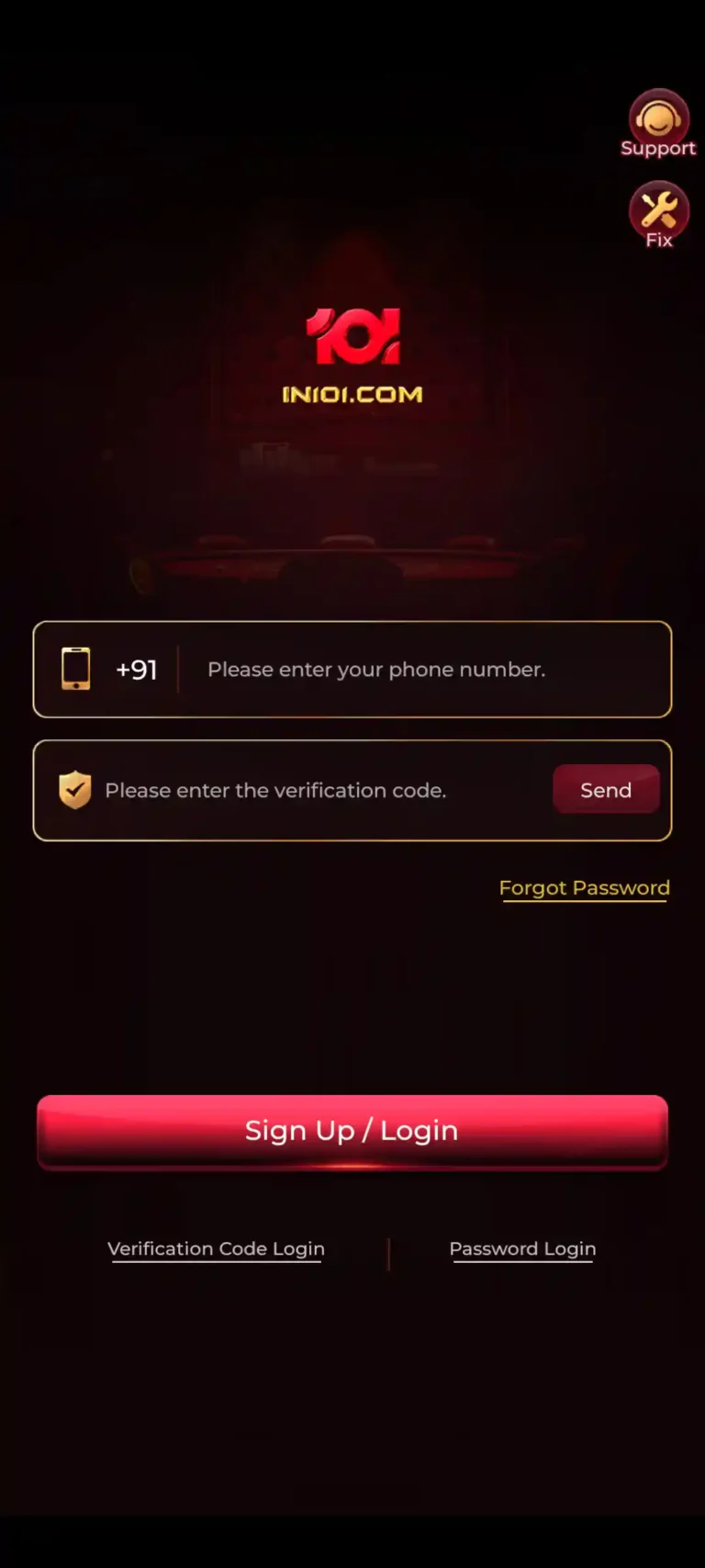
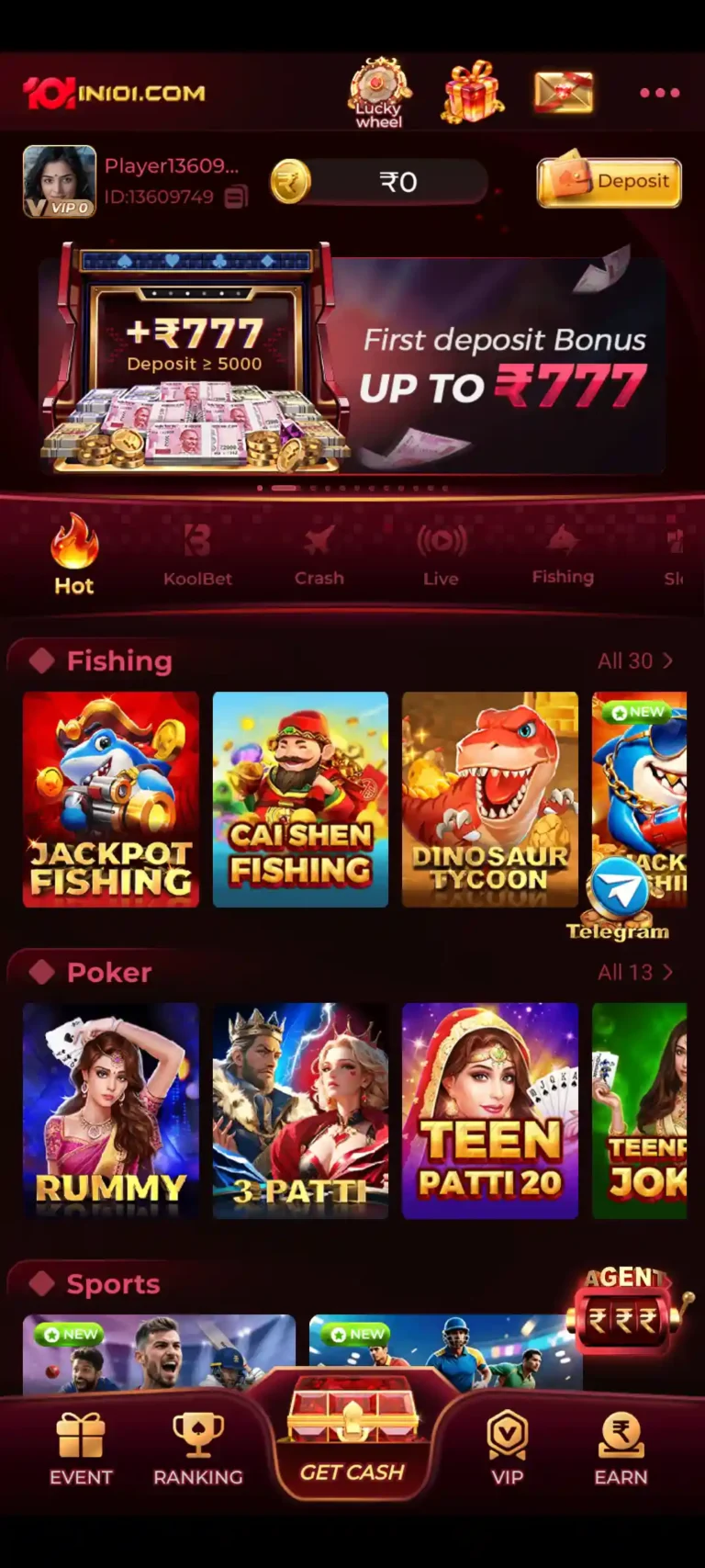
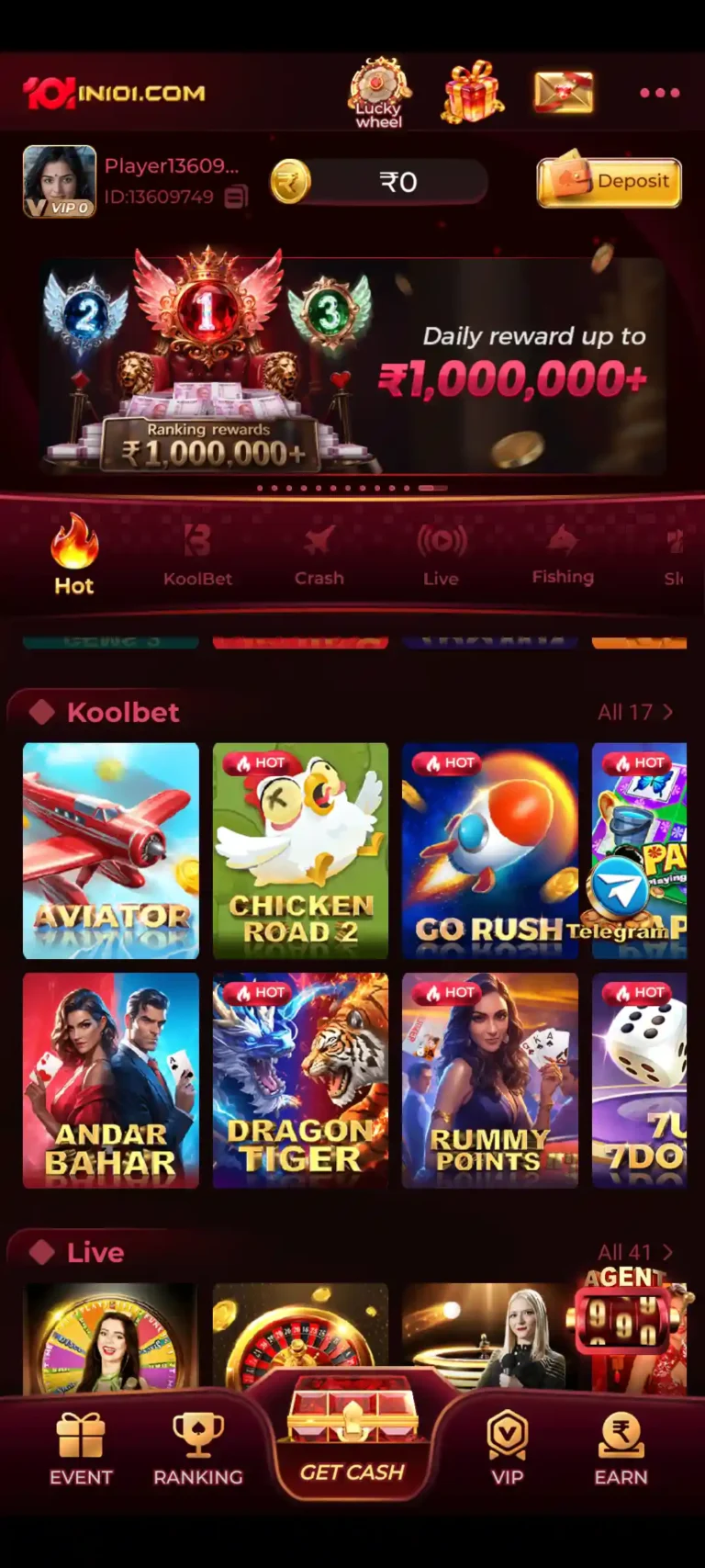
Explore the IN101 app interface with smooth navigation, engaging game screens, and a mobile-friendly design.
Download the Official IN101 App
Download the IN101 app for quick and convenient access to its gaming platform. Visit the official website, tap Download APK, install the app on your Android device, and open IN101 to get started.

IN101 Login & Registration Guide
Getting started with IN101 is simple and straightforward. New users can create an account by selecting Register and entering the required details. Existing users can select Login and enter their registered account information to access the platform.
Always keep your account credentials private and use the official IN101 platform when signing in.
IN101 Game Deposit & Withdrawal Guide
| Key | Details |
|---|---|
| Minimum Deposit | 100 |
| Minimum Withdrawal | 200 |
| Payment Methods | UPI, PhonePe, Google Pay, Paytm |
| Withdrawal Time | Usually within 24 hours, after account verification |
Minimum System Requirements
| key | Requirements |
|---|---|
| OS | Android 5.0 and above |
| Storage | 50MB free space |
| Internet | 4G/WiFi recommended |
| RAM | 2GB minimum |
Latest IN101 Updates (2026)
Discover the latest IN101 updates, featuring improved performance, enhanced functionality, updated features, and a smoother overall experience. Keep checking this section for new changes, improvements, and important update information.
Get the latest IN101 updates, including new features, improvements, and important changes. Check regularly for fresh information and the latest available updates.
IN101 – Bonus & Referral Rewards
IN101 provides eligible users with opportunities to access bonus promotions and referral rewards through its available offers. Promotional benefits may include introductory bonuses, referral-based rewards, special campaigns, and other promotional opportunities announced by IN101 from time to time. Each offer may have specific eligibility requirements, participation conditions, validity periods, and applicable terms.
Users should carefully review the details of each promotion before participating. Referral rewards may depend on qualifying activities completed by the referred user and may be subject to verification. Bonus availability, reward amounts, eligibility criteria, and promotional conditions can change without prior notice.
For the most accurate information, users should check the latest IN101 promotional details and applicable terms before claiming or participating in any bonus or referral offer.
Why Choose IN101?
- 🎮 Wide range of games
- 📱 Mobile-friendly experience
- ⚡ Fast and simple access
- 🎁 Exciting bonuses & rewards
- 🔒 Secure account features
- 🔄 Regular updates
Install the IN101 App on Android
Install the IN101 app on your Android device in a few simple steps. Download the APK, complete the installation, and open the app to get started.
Installation Process
- Download the IN101 APK.
- Open the APK file.
- Allow installation if required.
- Tap Install.
- Open IN101 and sign in.
Create Your IN101 Account
Creating an IN101 account is quick and easy. Visit the IN101 website, choose the registration option, enter your required details, and complete the verification process. Once your account is successfully created, you can log in and explore the available features.
Registration Steps
- Visit the IN101 website.
- Click Create Account or Register.
- Enter your required information.
- Create a secure password.
- Complete the verification process.
- Log in to your IN101 account.
Explore the IN101 Game Library
The IN101 game library offers a variety of games to explore from your Android device. Browse the available titles, explore different categories, and select a game based on your interests and preferences.
Game Categories
• Aviator Games
• JILI Games
• Mines Games
• Slots Games
• Fishing Games
• Rummy Games
• Teen Patti Games
• Dragon Tiger Games
• Plinko Games
• Crash Games
Play Aviator in IN101
IN101 offers easy access to Aviator with a simple and mobile-friendly interface. Players can quickly find the game and explore its available features.
To play Aviator, open IN101, go to the Aviator section, select the game, and follow the on-screen instructions for a smooth gaming experience.
Discover JILI Games
Discover JILI Games on IN101 with a wide selection of engaging titles and easy-to-use gameplay options.
Explore different JILI game themes and formats through IN101’s simple, mobile-friendly gaming interface.
Select your preferred JILI game, explore its features, and enjoy a smooth gaming experience on IN101.
IN101 Fishing Games
IN101 Fishing Games offer an engaging arcade-style gaming experience with underwater themes, colourful graphics, and different fishing challenges. Players can explore various game modes, targets, and features through a simple and easy-to-use interface.
With smooth gameplay and mobile-friendly access, IN101 Fishing Games are designed for users who enjoy fast-paced fishing-themed games. Game availability and features may vary by platform and applicable terms.
IN101 Slots Games
Slots Games feature a variety of mechanics designed to create different gameplay experiences. Each game may offer its own combination of reels, paylines, symbols, and special features, allowing players to explore different themes and game formats.
Popular Slot Mec
- Wild Symbols
- Scatter Symbols
- Free Spins Features
- Bonus Rounds
- Multipliers
- Different reel combinations
- Animated themes
Card Games on IN101
IN101 offers a range of card games with simple rules, smooth gameplay, and user-friendly interfaces. Explore different card formats and game styles in one convenient platform.
Rummy
Rummy is a popular card game based on arranging cards into valid sequences and sets according to the game rules.
Teen Patti
Teen Patti is a traditional three-card game known for simple gameplay, quick rounds, and different hand combinations.
Dragon Tiger
Dragon Tiger is a fast-paced card game that compares two sides, Dragon and Tiger, based on the cards dealt.
Quick Games: Plinko & Mines
Plinko
A simple quick-play game where players drop a ball through a peg-filled board and watch where it lands.
Mines
A fast-paced game where players reveal tiles while avoiding hidden mines, with each safe selection adding to the gameplay challenge.
IN101 Game Bonus Offers
IN101 Game may offer different promotional rewards to eligible users, depending on the current campaign and applicable terms. Promotions can change over time, so users should check the latest offer details, eligibility requirements, and conditions before participating.
Main Promotion Types
• Welcome Bonus
• Deposit Bonus
• Daily Rewards
• Cashback
• Referral Bonus
• Special Offers
IN101 Referral Program
Share your IN101 referral link with friends and invite them to join the platform. Eligible referrals may receive promotional rewards based on the current referral program rules and conditions.
Invite your friends to join IN101 and share your referral link with them. Eligible users may receive referral rewards according to the current program terms and conditions.
Use an IN101 Promo Code
Enter a valid IN101 promo code to access eligible promotional offers and rewards. Promo codes may have specific terms, eligibility requirements, and expiry dates.
Check the latest promotion details before applying a code to ensure it is valid and available for your account.
IN101 Deposit Process
IN101 offers a simple and convenient deposit process for eligible users. Select an available payment method, enter the desired amount, complete the payment, and check your account balance after confirmation.
General Deposit Process:
• Log in to your account
• Select Deposit
• Choose a payment method
• Enter the amount
• Complete the payment
• Check your balance
IN101 Withdrawal Process
IN101 provides a simple withdrawal process for eligible users. Select the withdrawal option, choose an available payment method, enter the required amount, and submit the request for processing.
General Withdrawal Steps:
• Log in to your account
• Open Withdrawal
• Select a payment method
• Enter the withdrawal amount
• Confirm the request
• Wait for processing
• Check your payment account
Get the Latest IN101 Version
Download the latest available IN101 version from the official source and check the version details before installation.
As updates may bring changes such as:
• New game features
• Better app performance
• Improved navigation
• Bug and error fixes
• Security improvements
• Updated promotions
• Overall user experience enhancements
IN101 Game FAQs
What is IN101 Game?
IN101 Game is an online gaming platform offering a variety of games and entertainment options.
How do I register on IN101?
Open the IN101 platform, select the registration option, and follow the instructions to create your account.
How do I log in to IN101?
Enter your registered login details and access your IN101 account.
What games are available?
Available games may include slots, Aviator, Mines, Fishing, Rummy, Teen Patti, Dragon Tiger, Plinko, and other game options.
How do I deposit funds?
Go to the Deposit section, select an available payment method, enter the amount, and complete the payment.
How do I request a withdrawal?
Open the Withdrawal section, select an available method, enter the amount, and submit your request.
How can I get app updates?
Check the official IN101 source for the latest available version and update information.
What should I do if I have a problem?
Check the platform’s support or help section and follow the available instructions for account or payment issues.
18+ Responsible Access
IN101 Game is intended for users aged 18 years and above. Users should confirm that they meet the minimum age requirement before accessing or participating in the platform.